OpenBI Gateway 0.1.44
Your files stay put. Your reports stay fresh.
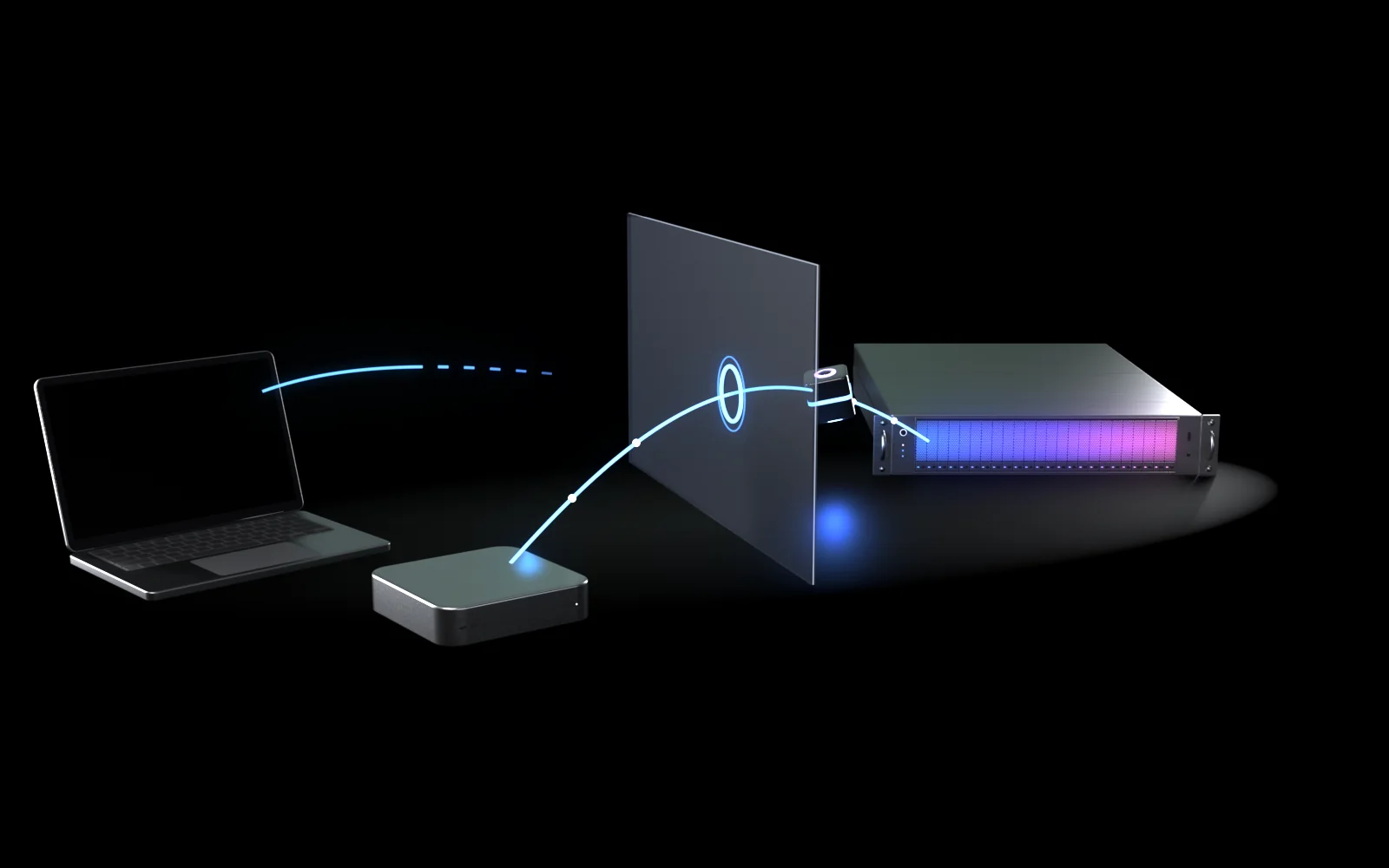
Your report lives on OpenBI Server. Its data is an Excel file on someone’s notebook, or a folder on a file server your server can’t reach. OpenBI Gateway is a small background service on that machine: it connects out to your server, reads only what your IT allowed, runs the refresh right there and sends back the new data.

What a gateway is
One small service, on the machine with the data.
Some of your data lives where your OpenBI Server can’t reach it. The gateway takes the refresh to the data, instead of opening a way for your server into the machine.
- Your data stays where it is.An Excel file on a notebook, CSV or Parquet files in a folder on a file server. Nobody copies them to a share, and nobody opens a path into that machine.
- Your report gets fresh data.On OpenBI Server it refreshes on its schedule, or when someone presses Refresh now, as any report does.
- The gateway connects out.It asks your own server for work over HTTPS. Nothing on the machine listens to the network, and no cloud sits in between.
- It reads only what IT allowed.The refresh runs on that machine, in OpenBI’s own engine. Only the refreshed model goes to your server, signed, and your server checks it before anyone sees it.
The words, in short
- OpenBI Server
- Your company’s report server, on your own machines. People read the reports in their browser or from Excel.
- Refresh
- Reading a model’s sources again, so that its reports show the newest numbers.
- Gateway
- A named group of one or more machines that refresh models for your server, for the workspaces it serves.
- Member
- One machine in a gateway: OpenBI Gateway installed there and registered with your server.
- Declared
- A file, a folder or a project folder an administrator on that machine allowed the gateway to read, for named workspaces. Nothing else is read.
- Long poll
- The gateway asks “any work?” and your server keeps the question open until there is some, or for up to 50 seconds; then it asks again.

How it works
Out over HTTPS. Signed. Checked before it’s used.
Every step starts on the machine with the data, and every result is checked by your server before a report shows it.
- Outbound only.
- Only what is declared.
- Signed by the machine’s own key.
-
Outbound HTTPS, a long poll
The gateway asks your server for work over HTTPS on port 443 and waits on that connection until there is some. It never listens to the network, so nothing is opened in your firewall. It speaks HTTPS only, checks your server’s certificate, and never follows a redirect elsewhere.
-
Only declared files and folders
An administrator on the machine declares each file, folder or project folder it may read, and for which workspaces. Your server can’t add to that list. The engine runs in a strict mode: anything else, another file, a database, the web, is refused before it is opened.
-
Keys stay on the machine
When a machine joins, it makes its own key. The private half never leaves it, sealed in a folder only administrators and the service can read. Files are read by the service’s own account, so no password is stored for them.
-
The refresh runs there
The machine fetches the exact version you published and refreshes it in OpenBI’s own engine: one refresh at a time by default, at low priority, with a cap on its memory. The version itself is never changed.
-
Signed, and checked on arrival
The new data goes to your server signed with the machine’s key. Your server checks the signature, every byte, and that the data fits the version it was made for, in an engine with a memory cap, before it installs it. If anything is off, nothing is installed and the report keeps its last good data.
-
The history names the machine
The model’s refresh history says which gateway and which machine did the work, as in “Via the gateway ‘Sales’ on LAPTOP-07”, with the files it read and how much it sent.
It has no licence key of its own: it works while your server’s licence allows refresh.
Two machines or more
A cluster from day one. If one stops, another takes over.
A gateway is one to ten machines. Each refresh goes to the least busy one that is online and can read every file the model reads.
- No primary. Your server picks the machine with the most room: the fewest refreshes running for what it allows, then the lowest load.
- One stops mid-refresh? When a machine goes quiet for 45 seconds, your server gives the refresh to another machine that reads the same files, once, and throws away anything half sent.
- Windows paths go to Windows machines. A path like
D:\Salesis served only by Windows members, and a Mac’s path only by Macs; no path is translated between systems. - None able? The refresh waits up to 15 minutes for a machine that is busy, and a scheduled one also for a machine that is offline. Otherwise it fails at once, with each machine’s reason, and the report keeps its last good data.
Tested
A PC cut off in the middle of a refresh. A Mac finished it.
One gateway, two machines: a Windows PC and a Mac mini. Four refreshes at once went to the least busy of them, three to the Mac and one to the PC. Then we cut the PC off in the middle of a refresh: 45 seconds later the server gave the refresh to the Mac, which finished it. All 3 million rows arrived, and the total was the source’s to the last digit.1
Install and run · for IT
Install it. Register it. Tell it what it may read.
Everything below happens once, on the machine with the data, as an administrator there. The commands are OpenBI Gateway 0.1.44’s own; the docs list every option.
Windows
64-bit Windows 10, 11 or Windows Server, and an administrator.
Mac
Apple silicon, macOS 14 or later, and an administrator (sudo).
Your server
OpenBI Server 0.1.40 or later, reached over HTTPS on port 443, outbound. No licence key of its own.
-
Check the installer, then install it
The download needs JavaScript for its human check. Without it, write to support@norwayanalytics.no.
The installers:
OpenBI-Gateway-0.1.50-x64.msifor Windows andOpenBI-Gateway-0.1.50-arm64.pkgfor a Mac. Both are signed by Norway Analytics. Check the signature before you install:WindowsOpenBI-Gateway-0.1.50-x64.msi, 110 MB (115,253,248 bytes). SHA-256:289a590b2e47745ce95154188dca19e6 bdd54f9c02ce9e48 6f46351c3d098413 Get-AuthenticodeSignature .\OpenBI-Gateway-0.1.50-x64.msi | Format-List Status, SignerCertificate
The status must be Valid and the certificate’s thumbprint
48D6BE98B89BE0766F85A2BC9136C85409B569D7. Then double-click the installer, or install it silently:msiexec /i OpenBI-Gateway-0.1.50-x64.msi /qn /l*v gateway-install.log
It installs the program in
C:\Program Files\OpenBI Gatewayand the service OpenBIGateway, which stays stopped until the machine is registered.MacOpenBI-Gateway-0.1.50-arm64.pkg, 137 MB (143,815,166 bytes). SHA-256:d37965b505d2f2220af5c79d4ccd1d0b 98297af3fca7eeb0 5cdf86d73ddcd0b0 pkgutil --check-signature OpenBI-Gateway-0.1.50-arm64.pkg spctl -a -vvv -t install OpenBI-Gateway-0.1.50-arm64.pkg
The signer’s Team ID must be
896HW73HL8, andspctlmust answer accepted,source=Notarized Developer ID. Then open the package, or install it from Terminal:sudo installer -pkg OpenBI-Gateway-0.1.50-arm64.pkg -target /
It installs the program in
/Library/OpenBI Gateway, the commandopenbi-gateway, and a launchd daemon that waits for the registration. -
Make the gateway on your server
On OpenBI Server, open Settings (the gear), then Manage gateways. Under New gateway, give it a name, tick the workspaces it serves and choose Make it and get its code. You get the command to run and a one-time code, valid for 15 minutes, once.
Who may: a server administrator, or someone who is an Admin of every workspace the gateway serves, since a machine in it serves all of them. The same goes for adding machines later, with Add a member on the gateway’s page. The gateway’s admins and your server’s administrators get an e-mail whenever a machine joins.
-
Register the machine
WindowsIn PowerShell, opened with Run as administrator:
cd "C:\Program Files\OpenBI Gateway"
.\OpenBI.Gateway.exe register --server https://bi.example.com
Macsudo openbi-gateway register --server https://bi.example.com
Use your own server’s address. The command asks for the code, and nothing shows as you paste it. Then it shows the server’s name, version and licensee, its certificate, and the gateway the code is for, and asks you to type yes. On a Mac the code is never put on the command line, where other accounts could see it.
-
Declare what it may read
Windows.\OpenBI.Gateway.exe source add --name "Sales workbook" --file "C:\Data\Sales 2026.xlsx" --workspace Sales .\OpenBI.Gateway.exe source add --name "Shared sales" --folder "E:\Shared\Sales" --workspace Sales .\OpenBI.Gateway.exe source test
Macsudo openbi-gateway source add --name "Sales workbook" --file "/Users/Shared/Data/Sales 2026.xlsx" --workspace Sales sudo openbi-gateway source test
--fileis one file,--foldera folder and everything under it,--projecta model’s project folder, for one item (--item Sales/Budget). Each says whom it serves:--workspace(one or more),--item, or--any-workspace.The service reads as its own account,
NT SERVICE\OpenBIGatewayon Windows and_openbigwon a Mac, never as you. When it may not read something,source testprints the line that grants it, such as anicaclscommand. On a Mac, keep the data outside people’s Desktop, Documents and Downloads folders (in/Users/Shared, for one), or give OpenBI Gateway Full Disk Access. -
Start it
Windows.\OpenBI.Gateway.exe service start .\OpenBI.Gateway.exe status
MacThe daemon starts by itself, within seconds of the registration.
sudo openbi-gateway status
statussays where the machine is registered, and whether each declared file or folder answers now. On the gateway’s page, the machine shows as Online. -
Point the report at the gateway
On OpenBI Server, open the model’s settings. Under Gateway connection, a table shows what the model reads, whether each machine reaches it, and which machine a refresh would run on now. Choose Refresh through ‘Sales’ (your gateway’s name) and confirm with Use it. The workspace’s Admins and Members may do this. It is refused while anything the model reads isn’t declared on a machine of the gateway.
From then on, Refresh now and the model’s schedule run on the gateway. None: the server reads its sources takes it back.
-
Look after it
Each command runs as
.\OpenBI.Gateway.exe …on Windows (as administrator) andsudo openbi-gateway …on a Mac.status- Where it is registered, its connections and how each answers now.
logs --lines 200- The last lines of its log (50 without
--lines). source list·source remove <name>- What it may read, and taking one away.
member settings --max-parallel 2 --memory-max 8192- How many refreshes it runs at once (1 by default), and the engine’s memory cap in MB (a quarter of the machine’s by default).
repair- Sets its data folder as this version sets it, after an upgrade. Its key and registration are kept.
sbom·sbom --verify- The bill of materials installed with it, and every file it lists hashed again here. Needs no administrator.
unregister --all- Leaves the gateway: your server is told; the key, cache, connections and settings are wiped; the service is removed.
Upgrade: install the newer installer over it. The registration, the declared files and folders and the settings stay. The service stops while its files are replaced, and a refresh it was running goes to another machine. Upgrade a gateway’s machines one at a time.
WindowsUninstall: Settings, Apps, OpenBI Gateway, Uninstall, or
msiexec /x OpenBI-Gateway-0.1.50-x64.msi /qn. It leavesC:\ProgramData\OpenBI Gateway, so reinstalling resumes the membership. To leave the gateway for good, rununregister --allfirst, then uninstall.MacUninstall:
sudo "/Library/OpenBI Gateway/uninstall.sh". It leaves the data folders and the account_openbigw, so reinstalling resumes the membership.uninstall.sh --allleaves the gateway first, then removes those too.

Security
Written for your security reviewer.
What a bank’s reviewer asks first, in one place. The details, in the docs
Only declared sources
A machine serves only the files, folders and project folders its own administrator declared, each for named workspaces. Your server can’t add to that list. Some places can never be declared: a drive’s root, the system’s folders, a person’s whole profile, hidden folders such as
.ssh, programs’ AppData, and the gateway’s own folders. The engine refuses anything undeclared before it opens it.Outbound only
HTTPS to your own OpenBI Server on port 443, and nothing else. No relay, no cloud, no Norway Analytics service in the path, and nothing on the machine listening to the network.
Its own restricted account
The service runs as its own account: the virtual account
NT SERVICE\OpenBIGatewayon Windows, the hidden account_openbigwon a Mac, with no shell and no home. It reads only what you grant it. Its program lives where only administrators write, and its data folder is open only to administrators and the service, which writes only its cache, scratch and logs.Who may add a machine
A server administrator, or someone who is an Admin of every workspace the gateway serves. Join codes last 15 minutes, work once, and stop working when the gateway’s workspaces change. The gateway’s admins and your server’s administrators get an e-mail when a machine joins, and removing a machine on the gateway’s page stops its key at once.
Owners can always say no
Any Admin of a workspace may stop a gateway serving it, at any time. Its models are then refreshed by your server itself again, and keep their last good data meanwhile.
A bill of materials, installed with it
Every component it ships, with its licence, its files’ SHA-256 and its known vulnerabilities, installed beside the program as CycloneDX 1.5 (
sbom.cdx.json) and as a page (sbom.html). A known vulnerability in what ships, a stale file or a file the bill doesn’t list stops the build.Signed installers
The Windows installer is signed by Norway Analytics (Authenticode, thumbprint
48D6BE98B89BE0766F85A2BC9136C85409B569D7). The Mac package is signed with Apple Team ID896HW73HL8and notarized by Apple.Reviewed before release
Three independent security reviews of its code before release, by reviewers who did not build it. Every finding rated medium or higher was fixed; the last review cleared it for production, and all but one of its low findings were fixed before release. What is still open is written down, each with what lessens it meanwhile.2
What leaves your network: only the refreshed data, to your own server.
Everything the gateway sends goes to your OpenBI Server and nowhere else: the refreshed data, signed; when the machine joins, its name, its system and versions, and the public half of its key; while it runs, its state and load, and which of its declared files and folders it can read. Norway Analytics hosts nothing and receives nothing: the gateway has no licence key of its own and never contacts our licence service.
Not yet
What it doesn’t do yet.
OpenBI Gateway 0.1.40 was the first version. This is what it doesn’t do today.
Databases through the gateway
Today a machine serves files, folders and project folders. SQL Server, PostgreSQL, MySQL and other databases come later, with their passwords typed and kept on the machine itself. Until then a model that also reads a database can’t be pointed at a gateway. A server that reaches the database itself needs no gateway for it.
Web sources
The engine on a gateway machine reads nothing from the web today. Declared web addresses come later, with the databases.
Live queries
Refreshes only: the data is imported into the model. Live connections and DirectQuery through a gateway come later.
Linux machines
Gateway machines run Windows or macOS today. Linux comes later.
Updates you choose
You update each machine yourself, by installing the newer version over it, one machine at a time. Updates rolled out from your own server come later.
Paths between systems
A Mac doesn’t serve a Windows path, and a PC doesn’t serve a Mac’s, even when both reach the same files. For failover between a PC and a Mac today, keep the files in the model’s project folder and declare it on both machines.
Compared with Power BI’s gateway
Built for your own server.
Microsoft’s on-premises data gateway is mature and serves many of Microsoft’s cloud services. Its ideas of declared connections and keys kept on the gateway’s own machine are sound, and OpenBI keeps them. OpenBI Gateway is built for one thing: refreshing your OpenBI Server.
| What | Power BI’s on-premises data gateway3 | OpenBI Gateway |
|---|---|---|
| Where it connects | Microsoft’s cloud, through Azure Relay | Your own OpenBI Server only, HTTPS on port 443. No Microsoft cloud and no relay in the path. |
| Modes | Standard, and a personal mode for one person | One: a service, managed by administrators. No personal mode: one thing to secure. |
| Machines | Windows | Windows and Mac. Linux later. |
| Several machines | A cluster of up to 10; requests go to its primary unless spreading them is turned on | Up to 10, from the first version. Each refresh goes to the least busy machine that reaches every file. No primary. |
| Recovery key | Needed to restore, move or add a gateway machine | None: each machine has its own key, and nothing is shared between them. |
| Reading files | A file connection signs in with a Windows user name and password | Read by the service’s own account, granted read access. No password stored. |
Power BI’s side from Microsoft’s documentation, read on 30 October 2026, and from its gateway 3000.338.2 installed on a Windows PC.3
Questions
Asked often.
Does my notebook have to be on?
Yes, at refresh time: awake, on the network and able to reach your server. For refreshes that don’t depend on one person’s notebook, add a second machine that reaches the same files, a file server for one, and the gateway uses whichever is free. A scheduled refresh waits up to 15 minutes for a machine that is offline or busy.
What can it read?
Only the files, folders and project folders an administrator declared on that machine, for the workspaces named there, and only as far as its own service account is allowed. A drive’s root, the system’s folders, a person’s whole profile, hidden folders such as .ssh, programs’ AppData and the gateway’s own folders can never be declared. On a Mac, people’s Desktop, Documents and Downloads folders need Full Disk Access for the gateway as well.
What if it’s off?
The refresh fails, saying for each machine why it couldn’t take it, and the report keeps its last good data. When a scheduled refresh fails, its schedule’s people get an e-mail, as for any failed refresh. Once the machine is back, the next refresh runs as usual.
Does it need admin rights to install?
Yes, once. Installing, registering and declaring what it may read take an administrator: Run as administrator on Windows, sudo on a Mac. After that it runs on its own, as its own restricted account and not as an administrator, and the person who uses the notebook needs no rights at all.
Where’s the log?
openbi-gateway logs (on Windows .\OpenBI.Gateway.exe logs) shows its last lines. The files are in C:\ProgramData\OpenBI Gateway\logs on Windows and /Library/Application Support/OpenBI Gateway/logs on a Mac, one a day.
If the service won’t start: on Windows, the Application log under the source OpenBI Gateway; on a Mac, /Library/Logs/OpenBI Gateway/launchd.log. And every refresh is in the model’s refresh history on your server.
Does it cost extra?
It has no licence key of its own and never contacts our licence service: it works under your OpenBI Server’s licence, for as long as that licence allows refresh.
Our server can reach the data. Do we need a gateway?
No. A server in the same network as its data reads it itself, as it always has. The gateway is for data the server can’t reach: on a PC, behind another firewall, in a branch office.