Tables.
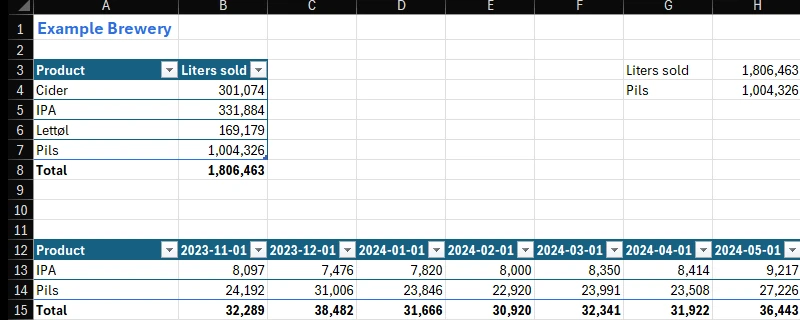
Pick columns and measures in the pane, then insert. The table stays linked: Refresh writes it again from the model.
OpenBI Studio for Mac
Your Power BI models, native on Apple silicon.
The same answers as Power BI Desktop. 2.6× faster on a typical query.1
Reports, DAX, models and notebooks.
Right on your Mac.
OpenBI Studio and its engine run as Mac apps. No emulator, no virtual machine.
Tuned for Apple silicon: NEON vector kernels, the performance cores and a profile-guided build.7
It installs like any Mac app. macOS 14 Sonoma or later.
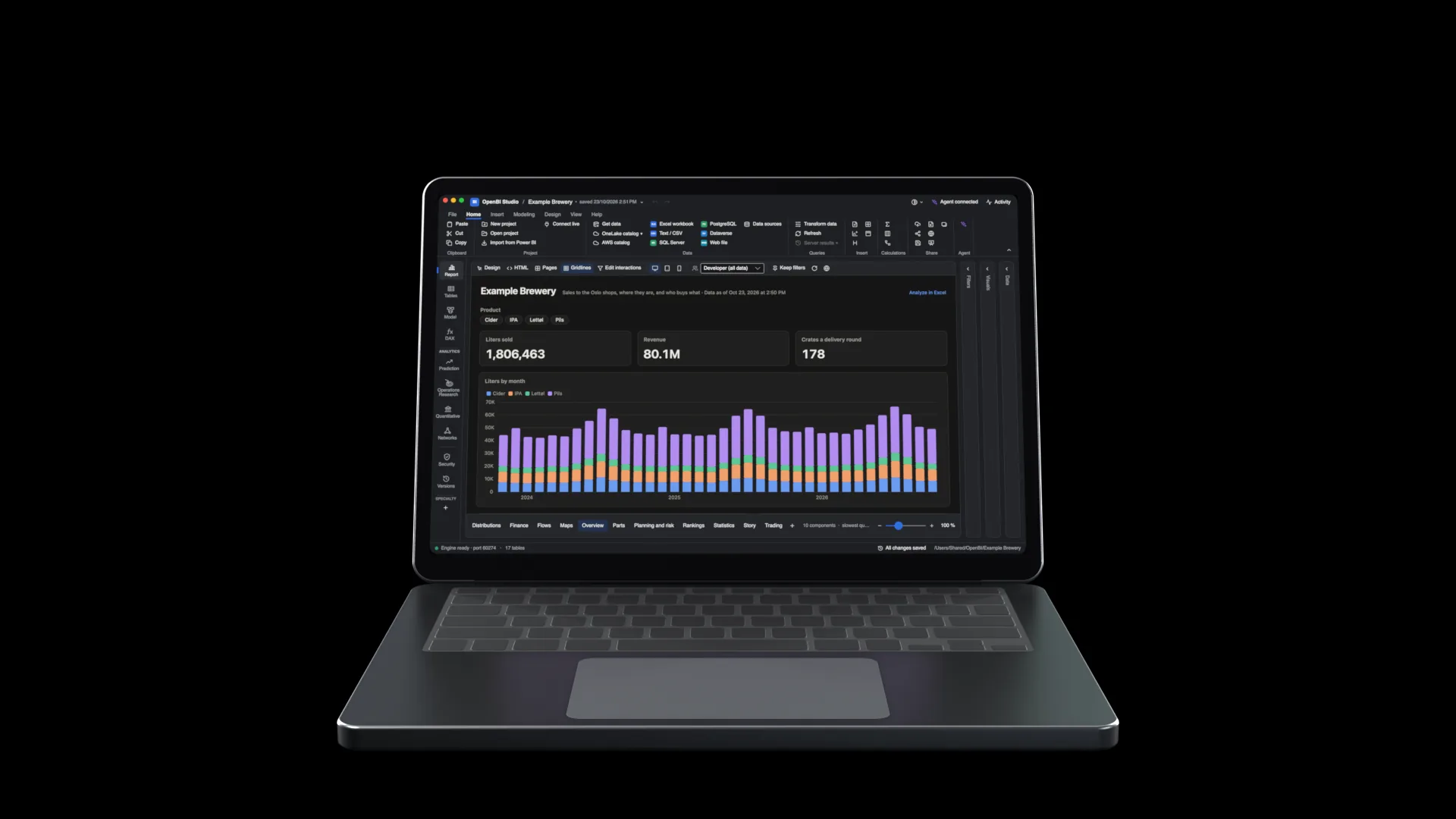
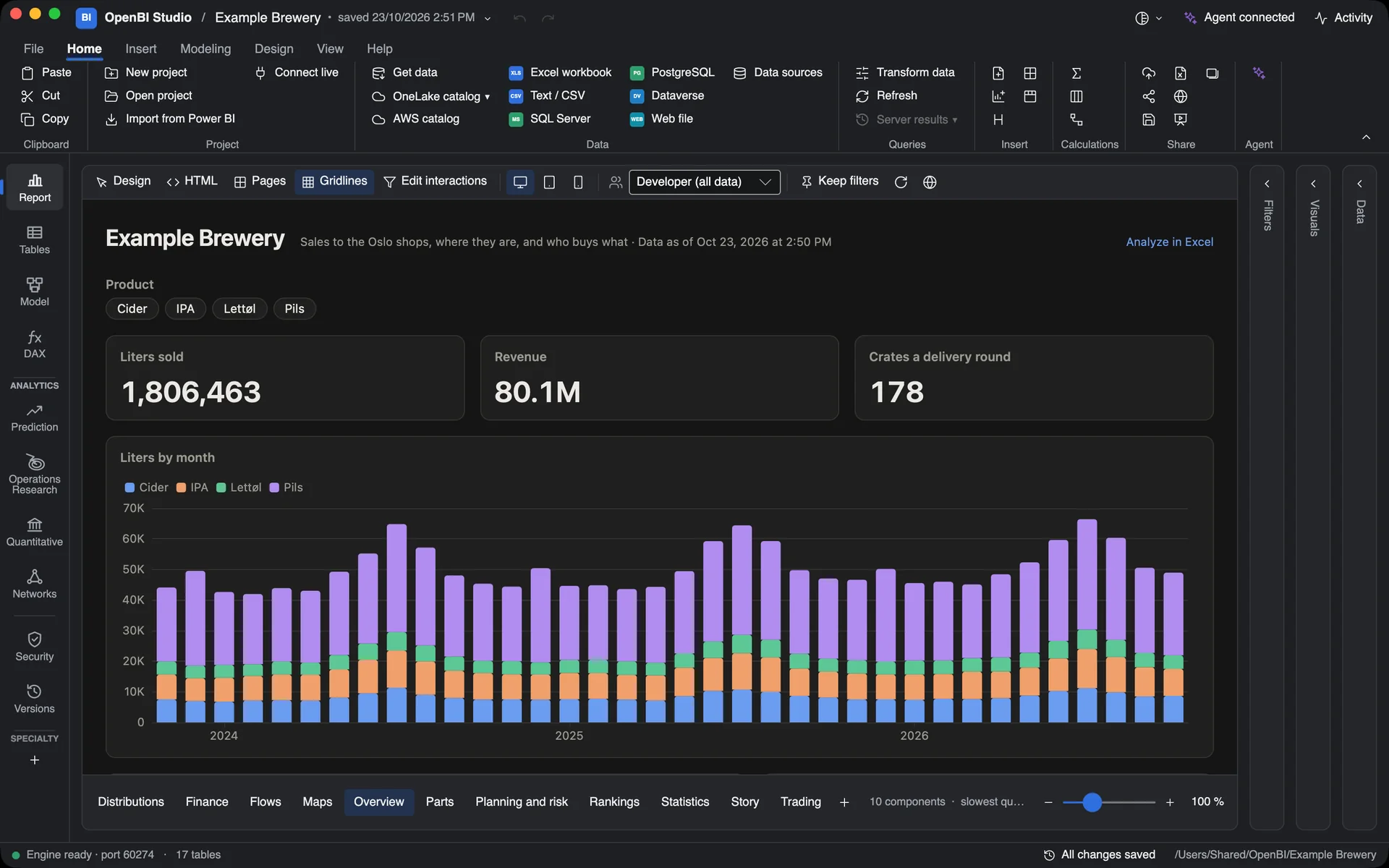
Reports. Pages drawn from your model, designed in place.
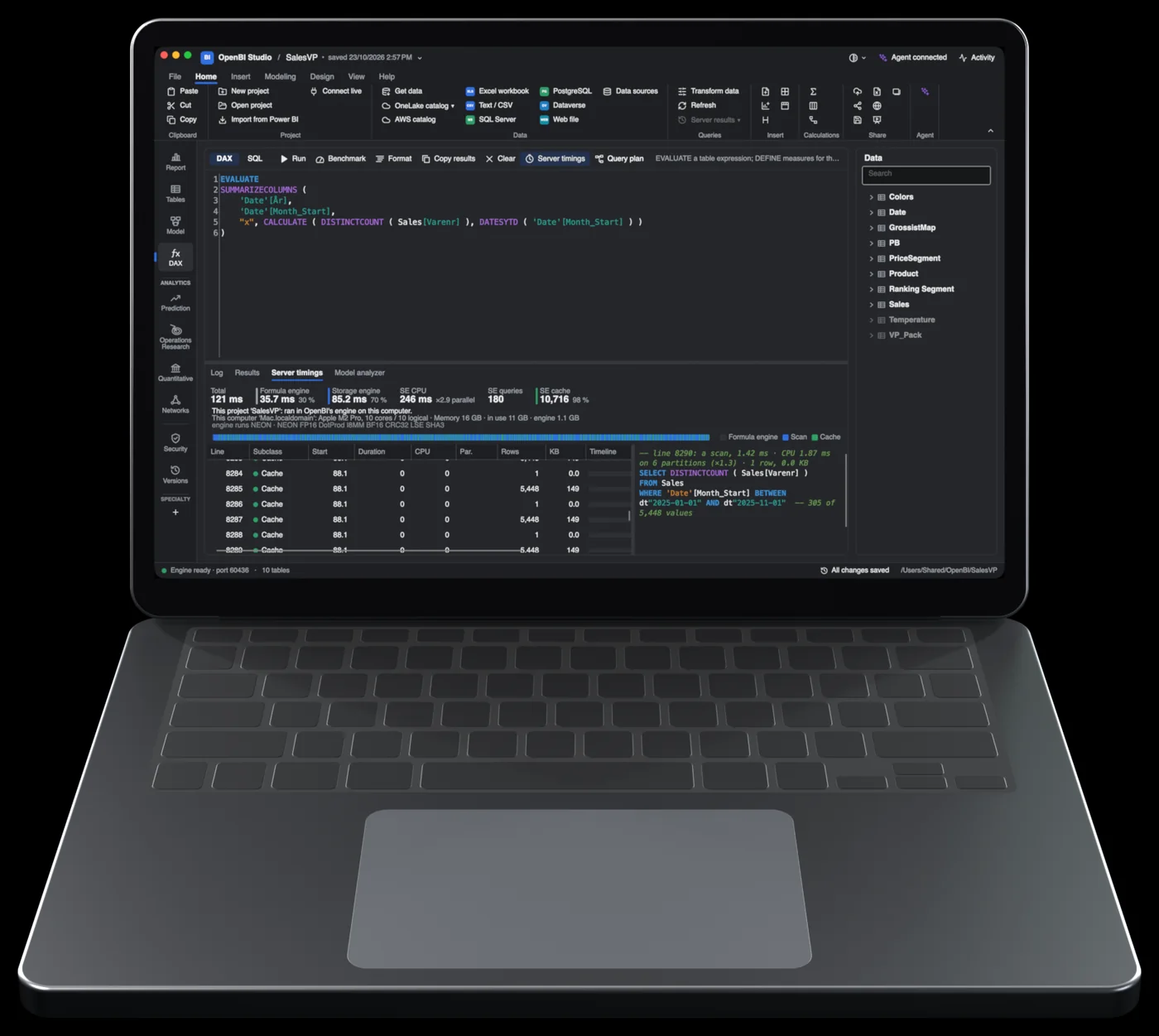
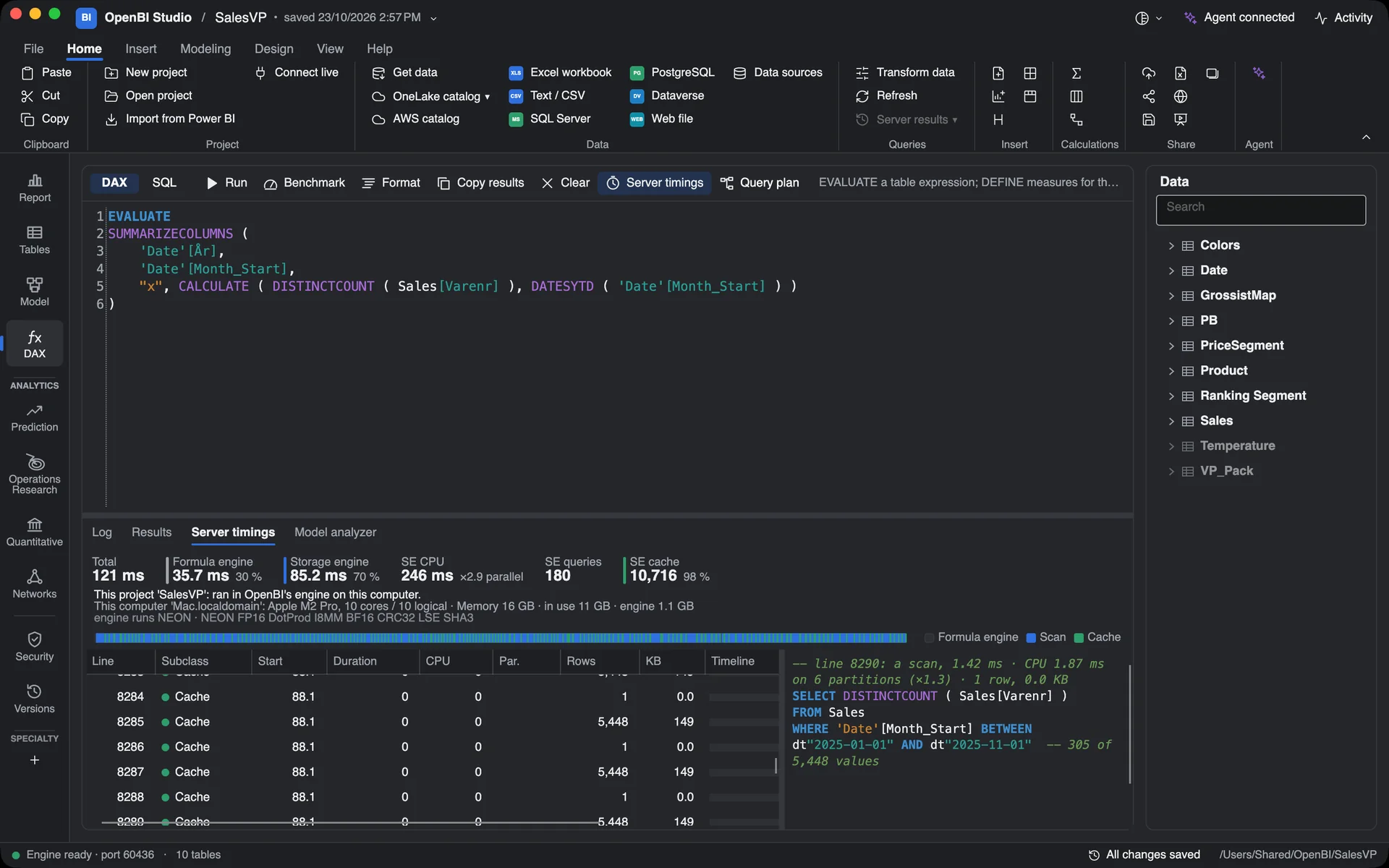
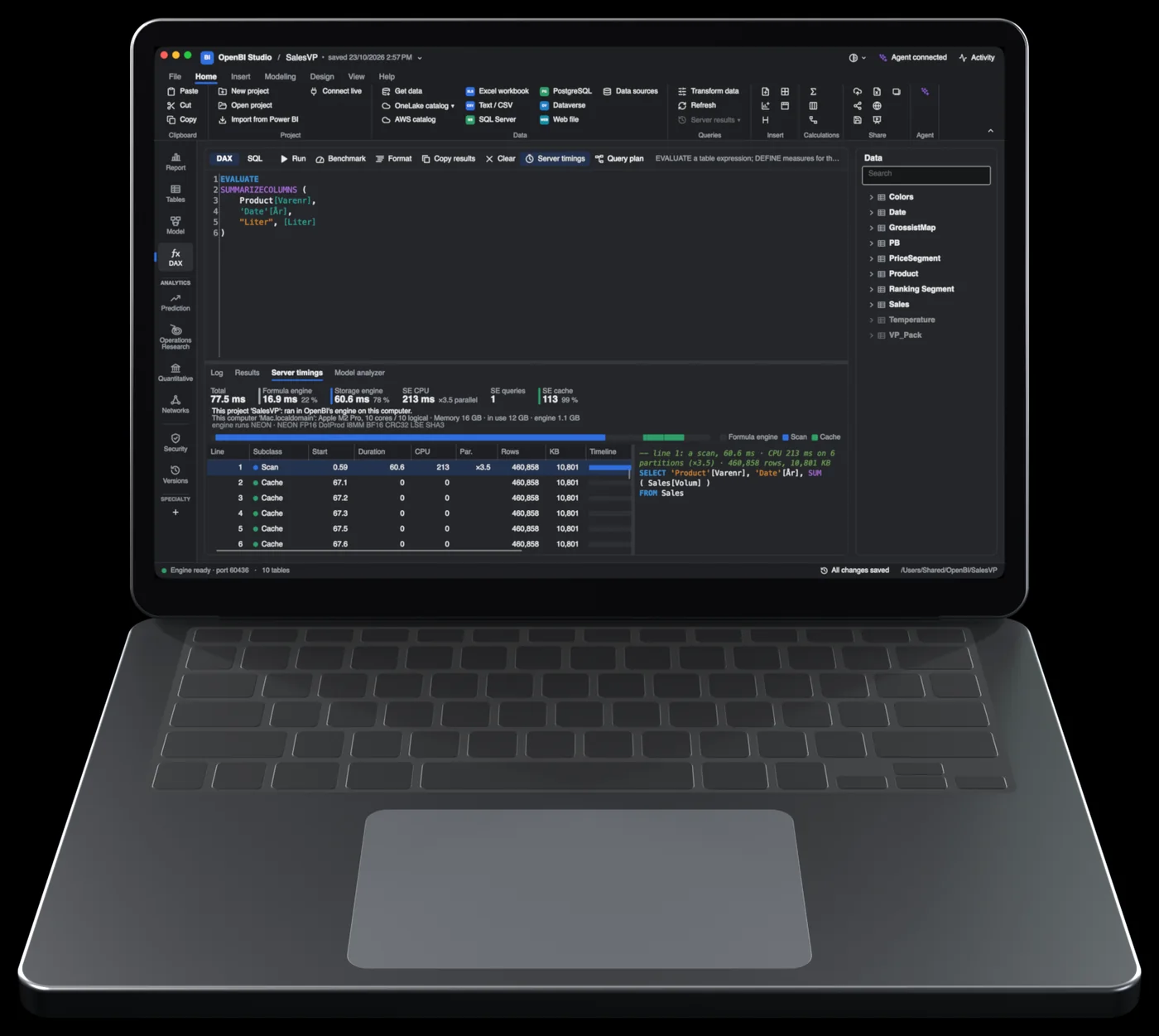
DAX. Every query with its Server timings. Here, 3.15 million rows of SalesVP.
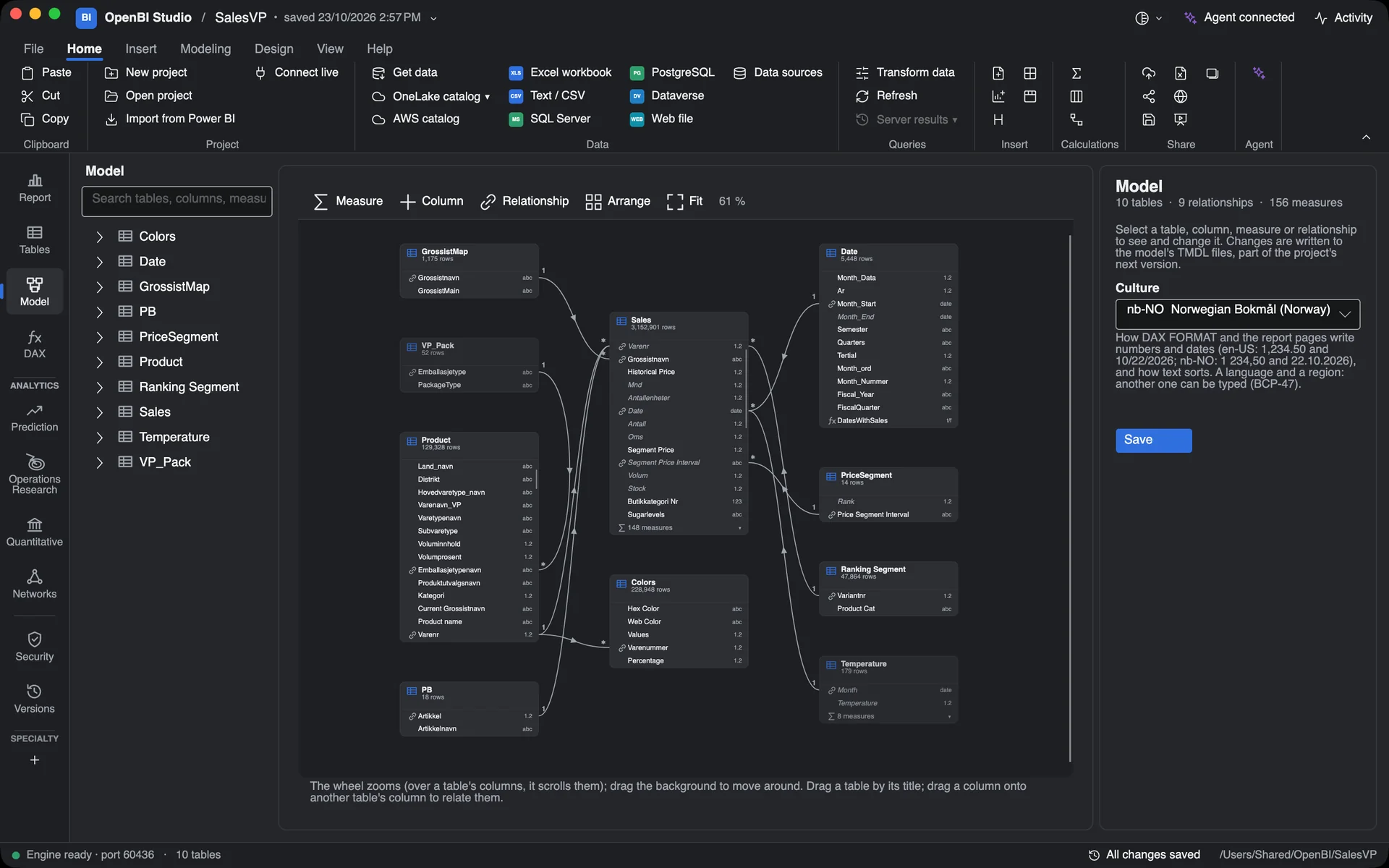
Model. Tables, relationships and measures, laid out to explore.
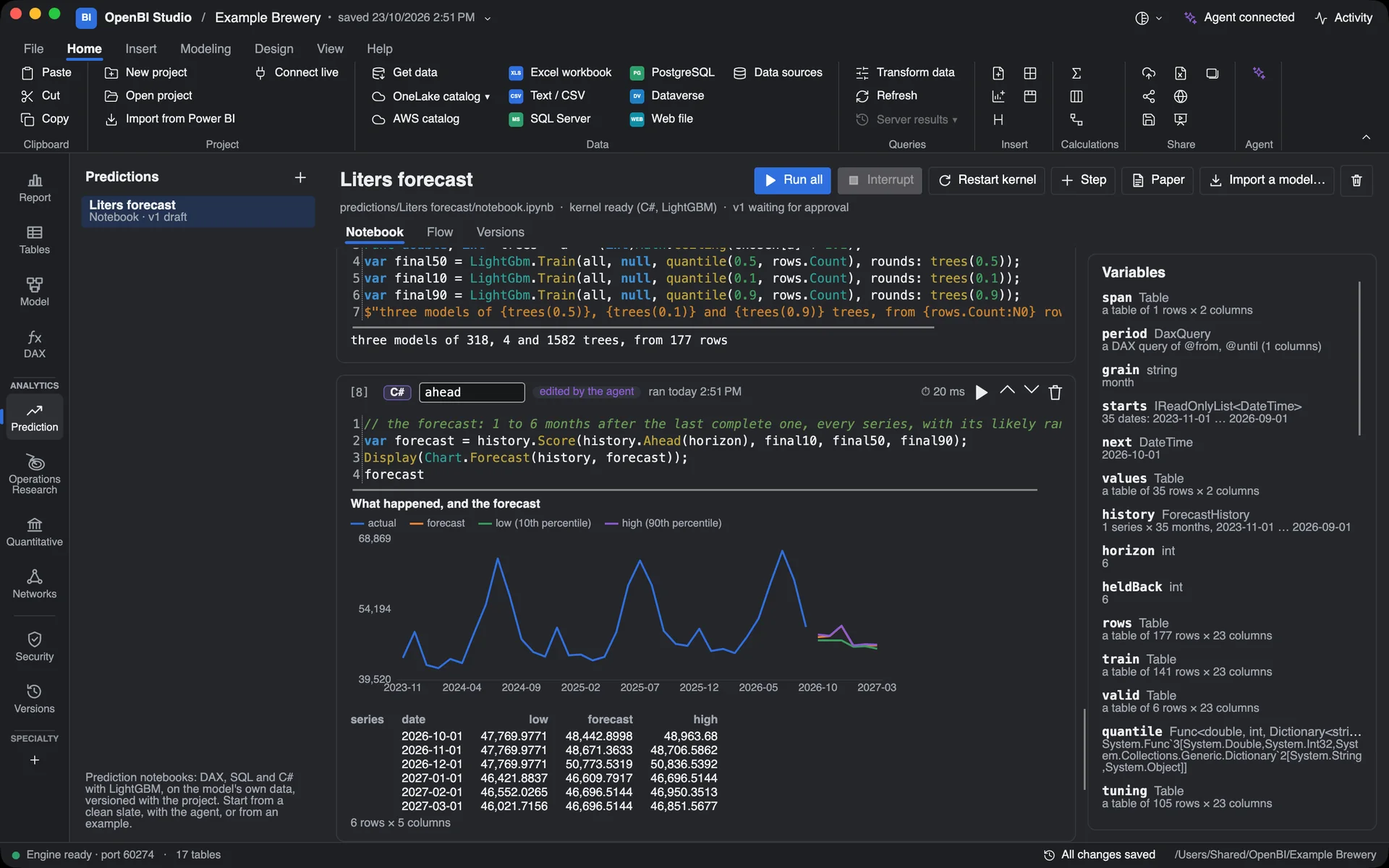
Notebooks. A LightGBM forecast with its likely range, beside the model.
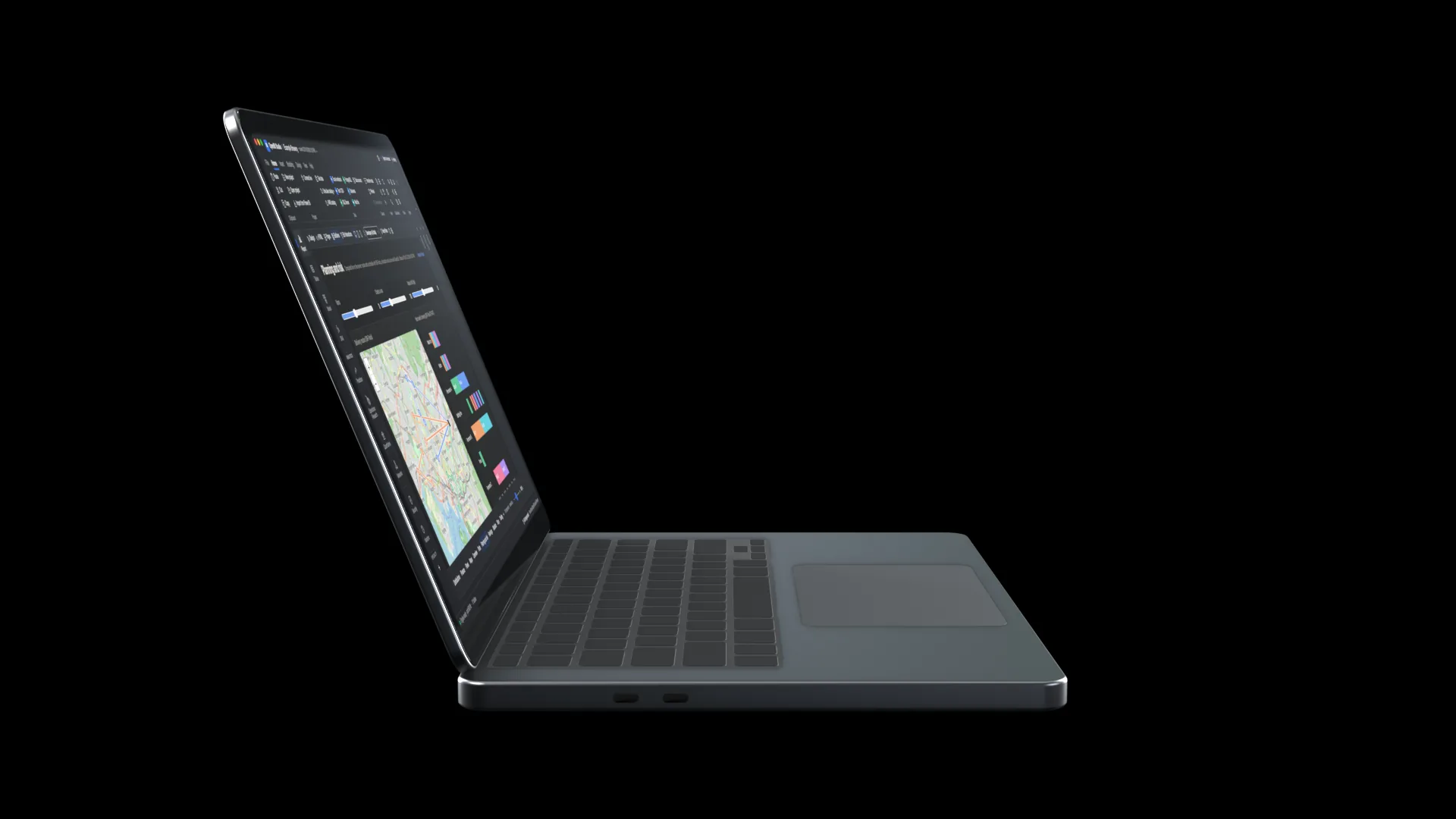
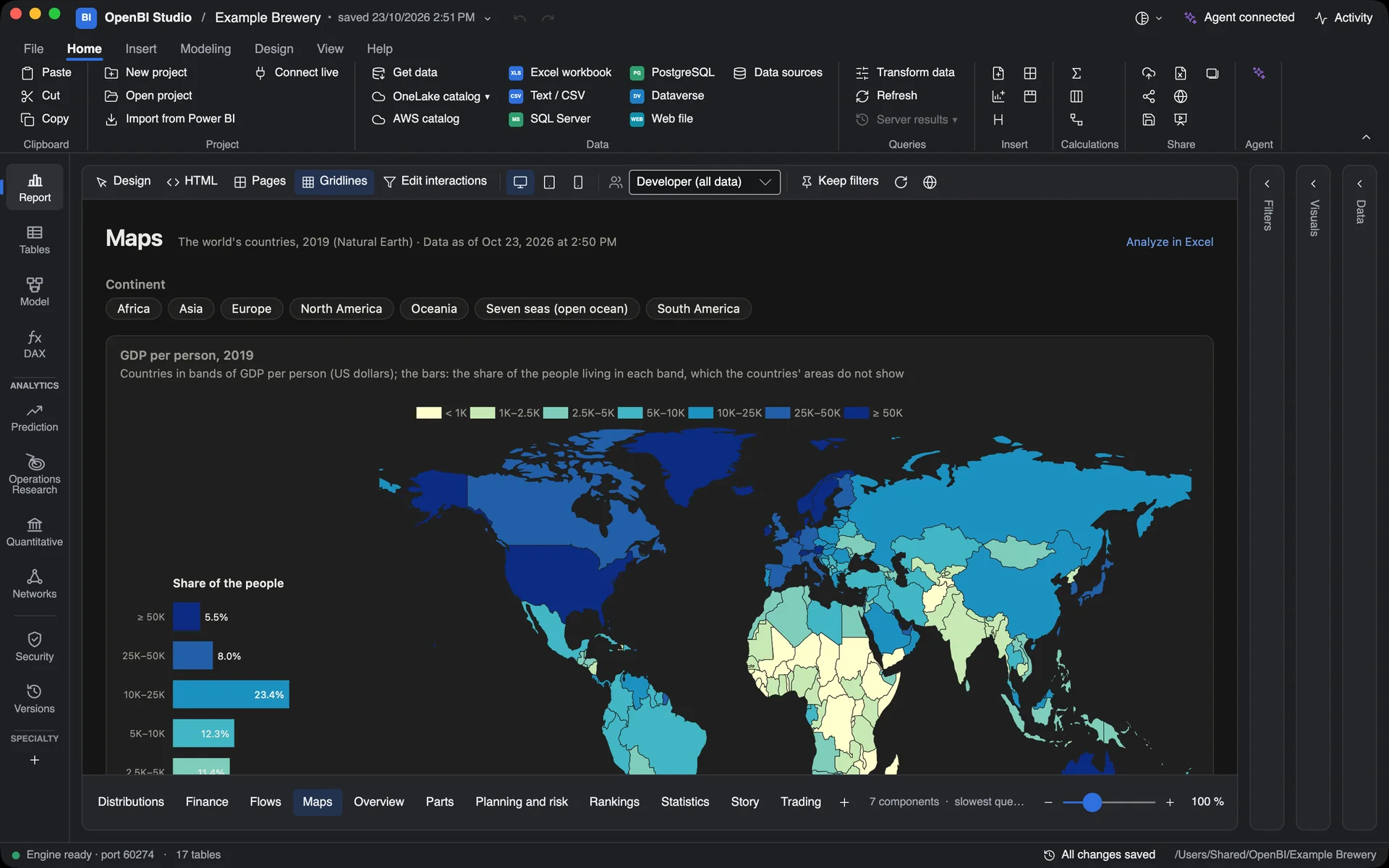
Maps. Countries and regions, coloured by the model.
Everything your model needs.
In one Mac app.
One Power BI semantic model, SalesVP: 3,152,901 sales rows, 10 tables, 156 measures. 28 DAX queries. The same Parquet files and model definition on three systems. All three gave identical answers to every query, compared row by row.2
2.6×
Speed against Power BI Desktop. Longer is faster.
8×
Speed against Power BI Desktop. Longer is faster.
3.4 s
Seconds. Shorter is faster.
Each engine’s own time for one query. Shorter is faster.1
SQLBI’s DISTINCTCOUNT pattern, slow form.
Here it ran slower than the slow form, on all three systems.
A large report query.
SQLBI’s blank-condition pattern, fast form.
An everyday report query.
SQLBI’s callback pattern, slow form.
Analytics
Plan, connect, test, predict and price, right beside your model. In a notebook, on a report page, or straight from DAX.
Decisions, optimized. Plan a month’s bottling across plants for the most margin. See which limit binds and what one more hour is worth, then route the delivery vans. On a report page, routes and the brewing schedule solve again as you move a slider.
Google OR-Tools 9.15: GLOP, SCIP and CP-SAT, and vehicle routing with capacities, time windows and pickups. HiGHS 1.12 when the engine solves a plan again. In DAX: OPTIMIZE, ROUTES, SCHEDULE.
See what connects. Find the shops that buy alike and the products that tie them together. Rank the key players and the bridges between groups, or trace money that moves in cycles.
igraph 1.0.1, built into the engine: PageRank, betweenness, k-core and cut points; Louvain, Leiden, walktrap and Infomap communities; max-flow, cycles, cliques and triads. 17 NETWORK functions in DAX.
The shape of your data. Correlations, trend lines with intervals, seasonal decomposition, clusters and survival curves. All in DAX, under the page’s filters.
OpenBI’s own C, checked against R in its tests: STL decomposition, kernel density, PCA, k-means++, UMAP, Kaplan-Meier, log-rank, Cox regression and elastic-net Cox. In DAX: DECOMPOSE, LINESTX, TRENDLINE, KMEANS, UMAP, SURVIVAL.
Forecasts you can audit. Forecast sales six months ahead with a likely range, find customers likely to leave, or score a list of leads. A model version is used only after someone other than its author approves it. Then DAX calls it with PREDICT.
LightGBM 4.6, gradient-boosted trees. Quantile forecasts, boosted Cox survival, Kaplan-Meier and Harrell’s C, SHAP drivers. Notebook C# runs on Roslyn 5.9.
Risk, priced. Value a bond portfolio from the NOK curve, see what drives its risk, and get a day’s VaR and expected shortfall. Price options and FX forwards, bootstrap CDS curves, and compute XVA and initial margin.
QuantLib 1.43 with Boost 1.91: fixed-rate bonds, piecewise yield curves, Black-Scholes and binomial engines, ISDA CDS, Hull-White. Monte Carlo with correlated, antithetic paths. In DAX: QUANT, VALUATION, MONTECARLO.
Where it happens. Colour countries, counties and municipalities by any measure. Put points and routes on a live map, from coordinates in your data.
Leaflet 1.9.4, with OpenStreetMap tiles fetched through the engine. Natural Earth 5.2.0, and Nordic county and municipality boundaries. Choropleths, cartograms and hex maps.
Power Query, in C. Shape data in Power Query’s own language, the default in Transform data. A Power BI project’s M queries load as they are. Steps run as DuckDB SQL where that gives exactly the same answer.
An M evaluator written in C, with about 375 library functions and about 30 sources: CSV, Excel, Parquet, JSON, Web, OData, SQL Server, PostgreSQL, MySQL, ODBC, Analysis Services, SharePoint and Salesforce. DuckDB underneath.
DAX, timed. Write DAX and SQL with Server timings, the query plan and a model analyzer. Then build report pages with charts, maps, financial statements and typeset formulas.
Power BI’s DAX functions, plus OpenBI’s own for networks, survival, finance and optimization. Apache ECharts 6.1.0, D3 7.9.0, Temml 0.13.5, and Dax.Metadata 1.12 for VertiPaq Analyzer files.
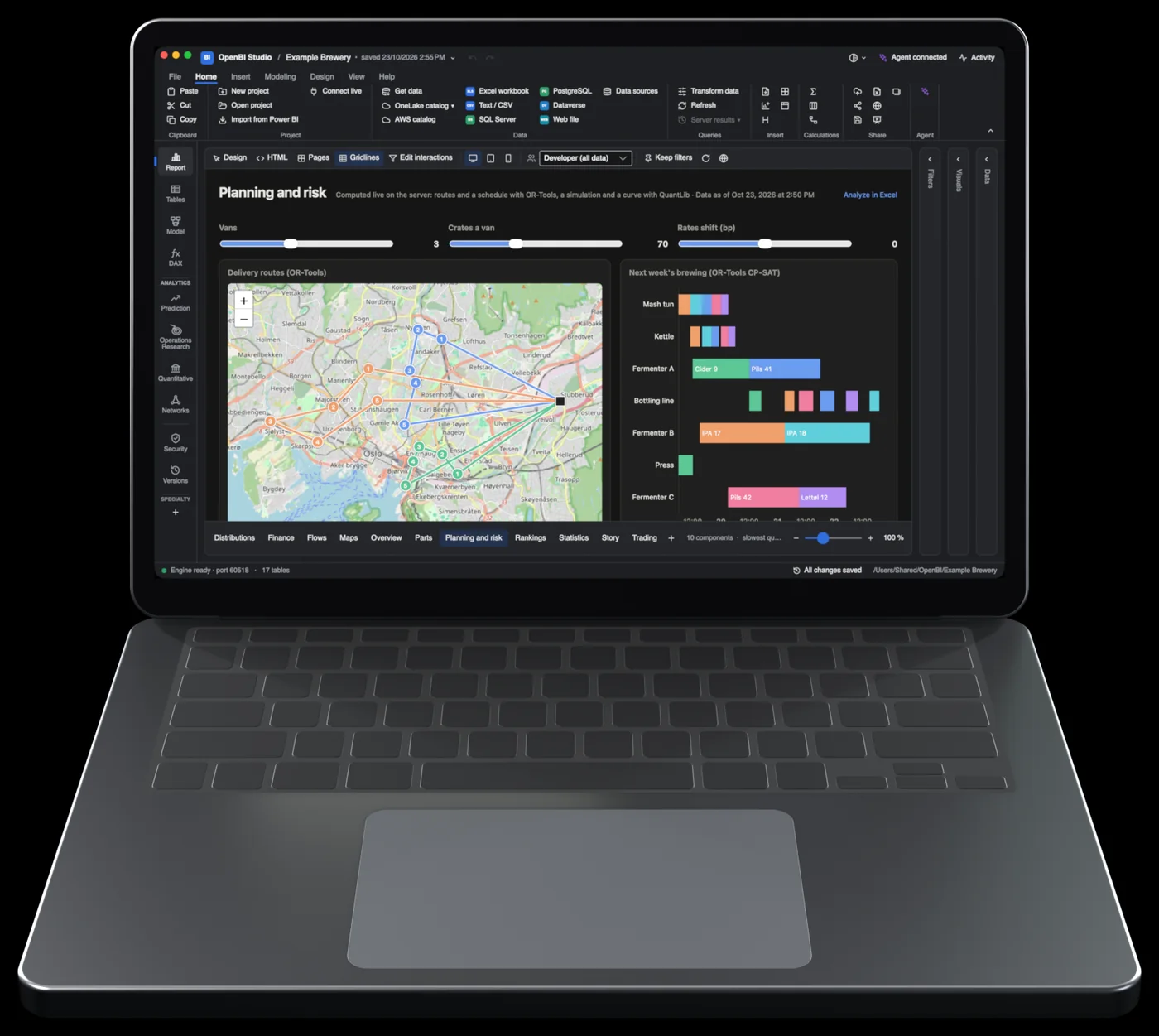
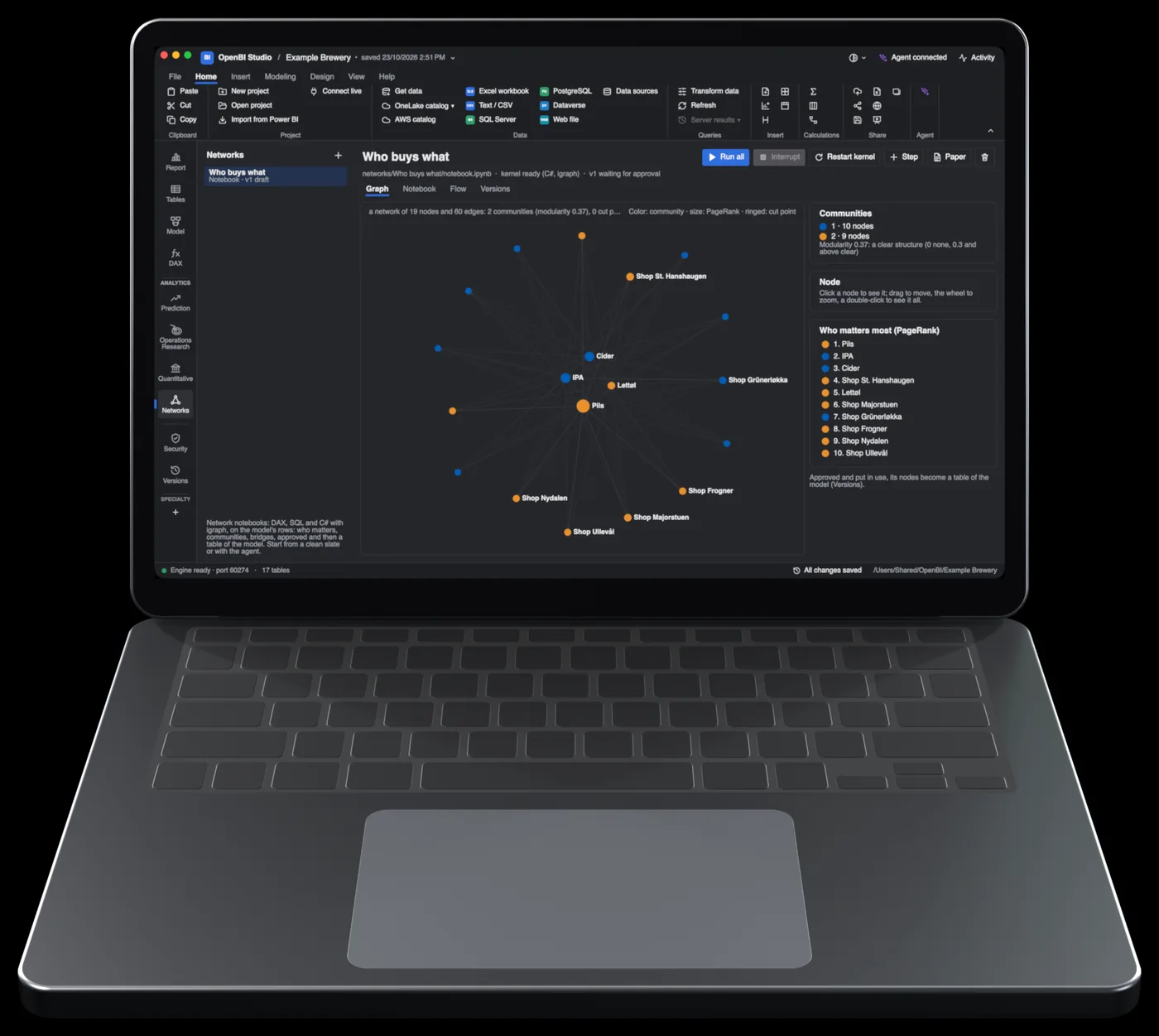
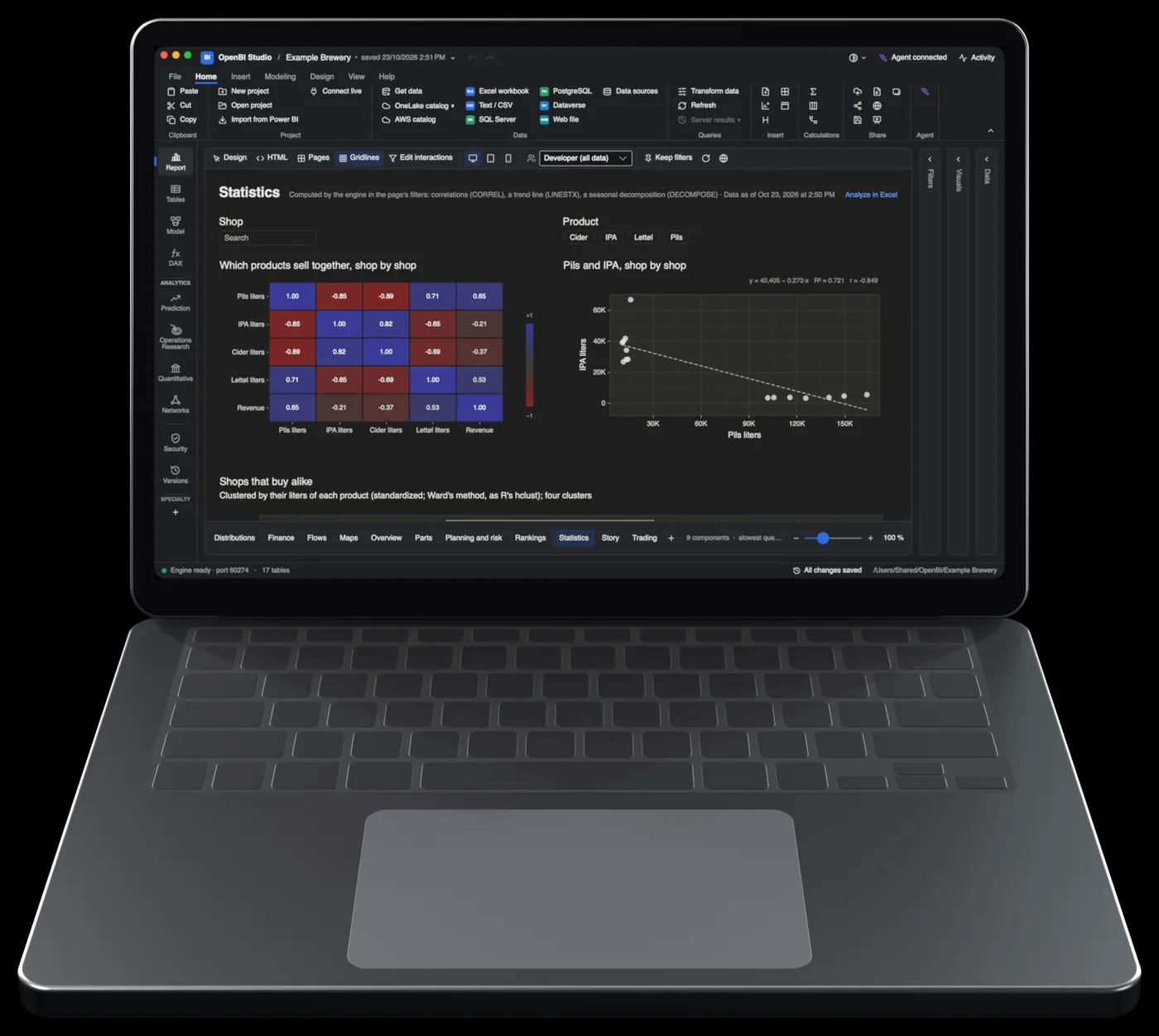
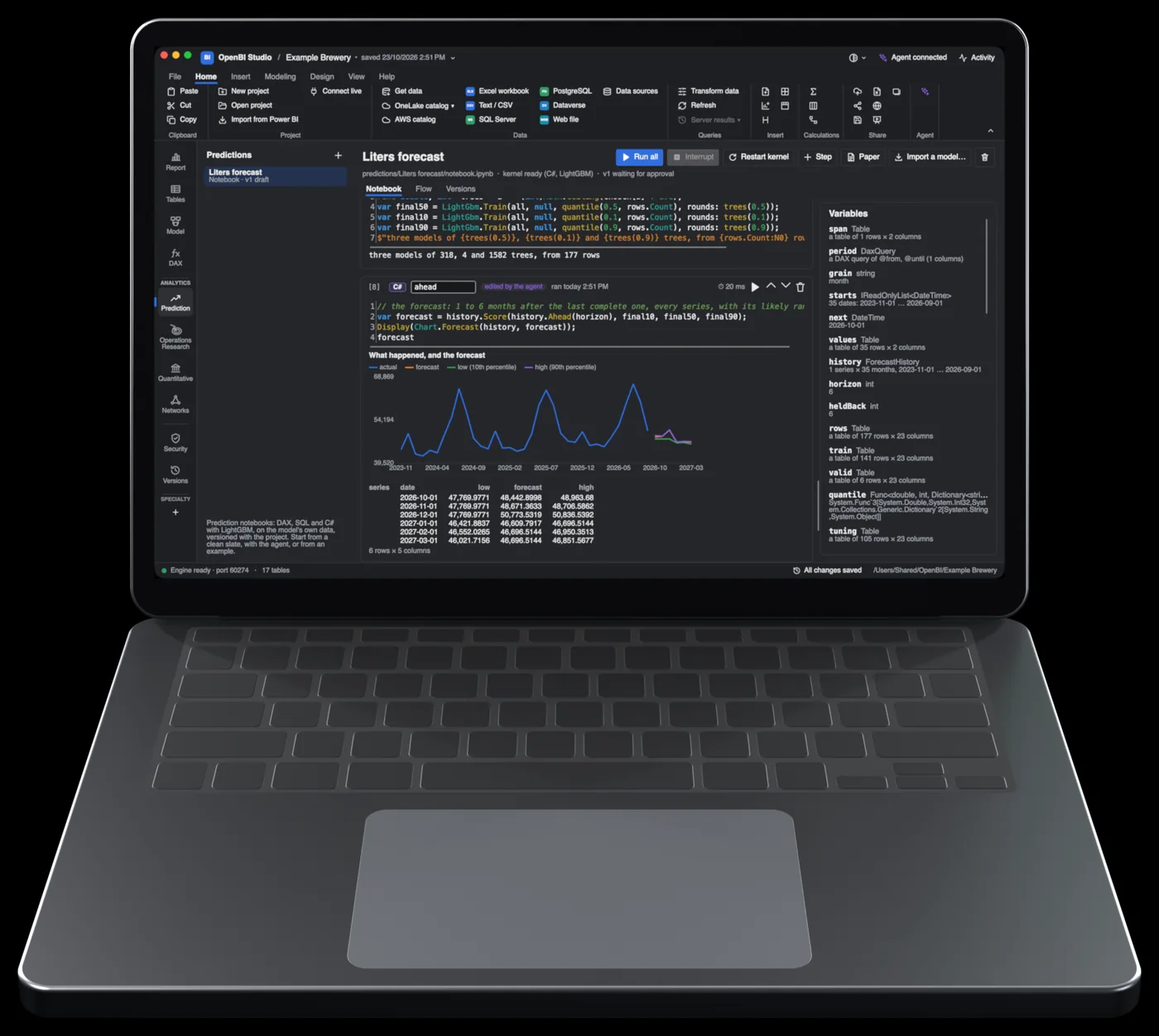
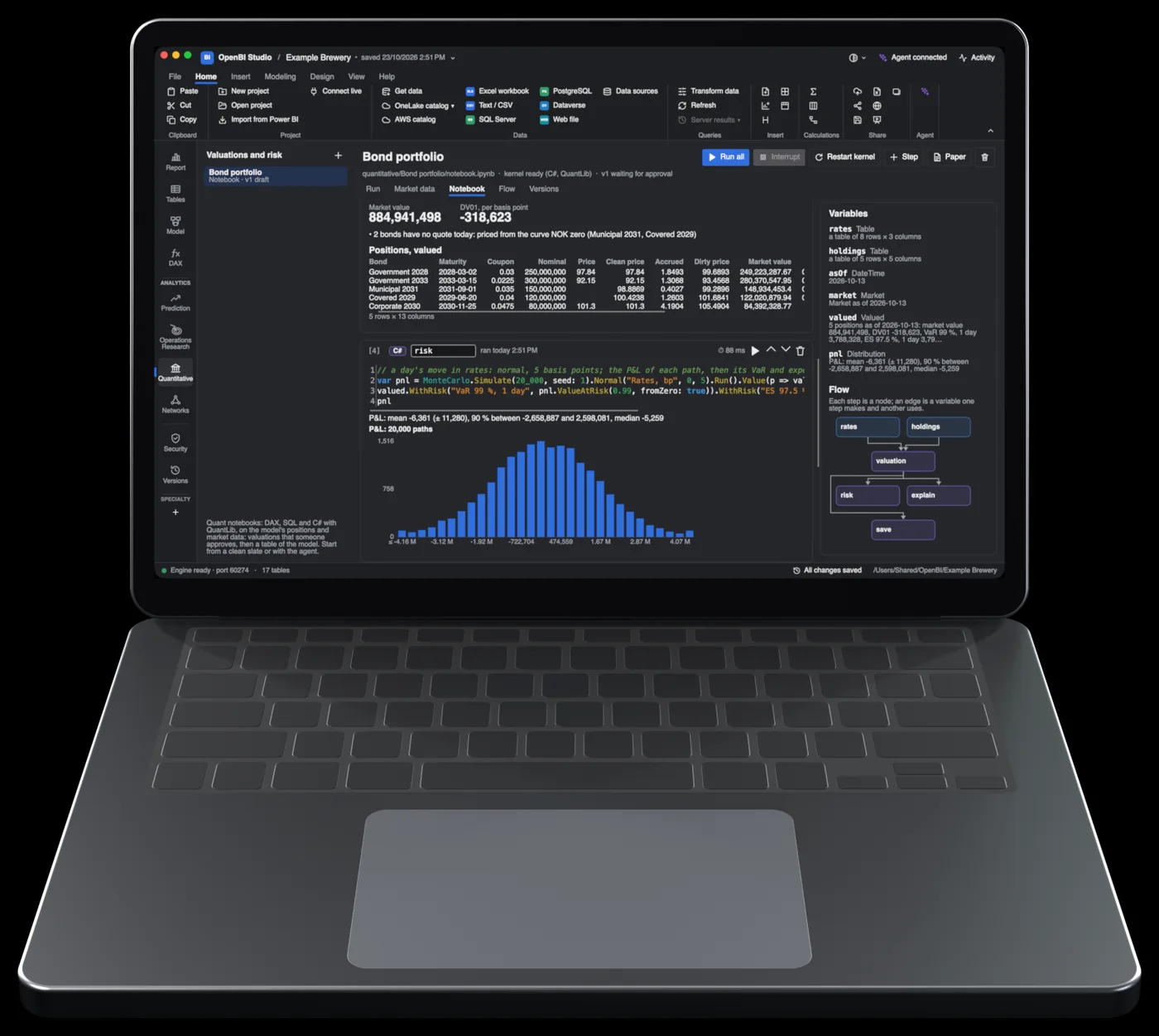
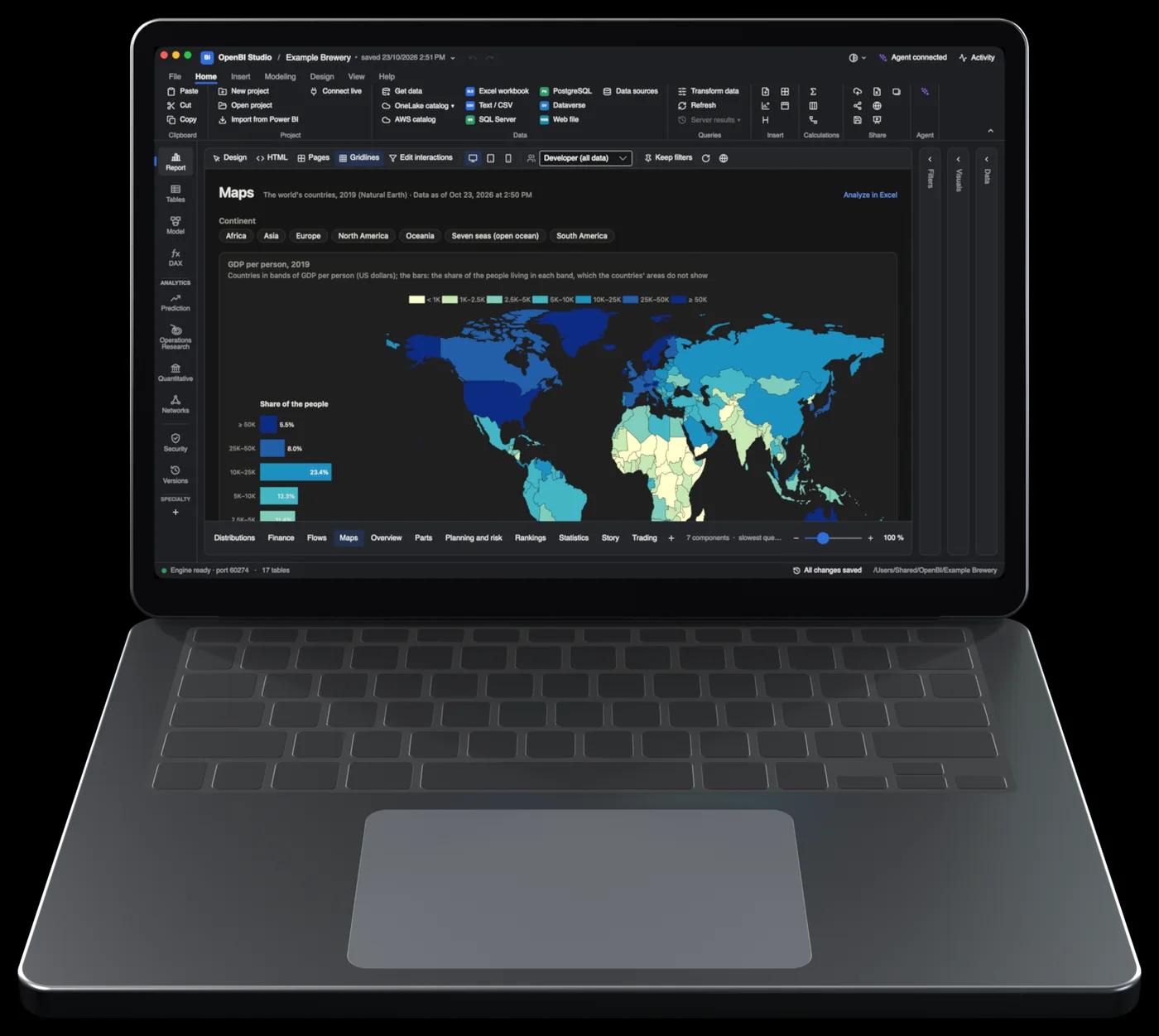
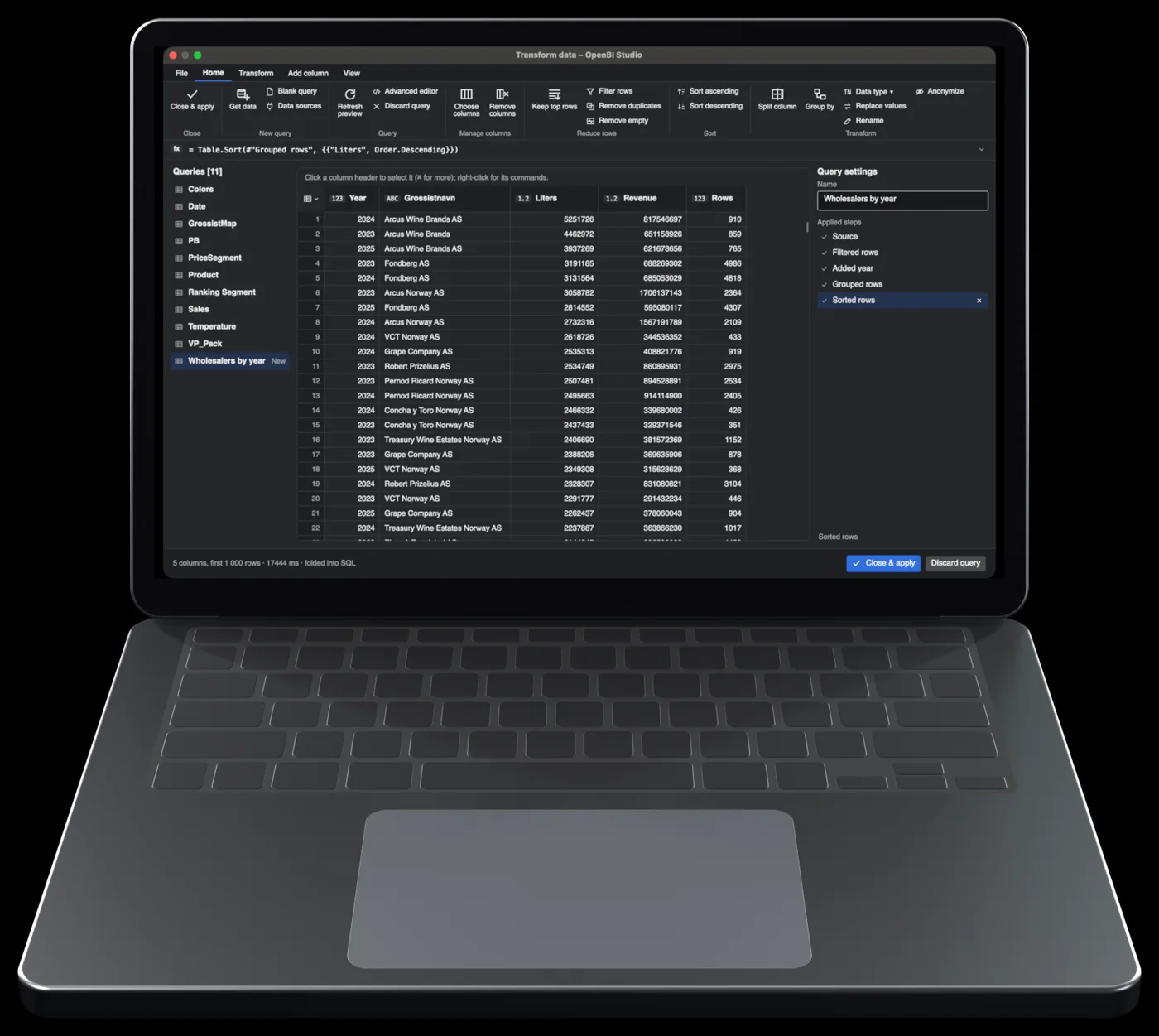
Every analysis is a notebook with DAX, SQL, C#, TikZ and Markdown steps, versioned with the project and typeset as a paper with Typst. The libraries and versions are the ones OpenBI ships.14
Analyze in Excel
The OpenBI pane. Tables, pivots and formulas from the model open in OpenBI Studio.
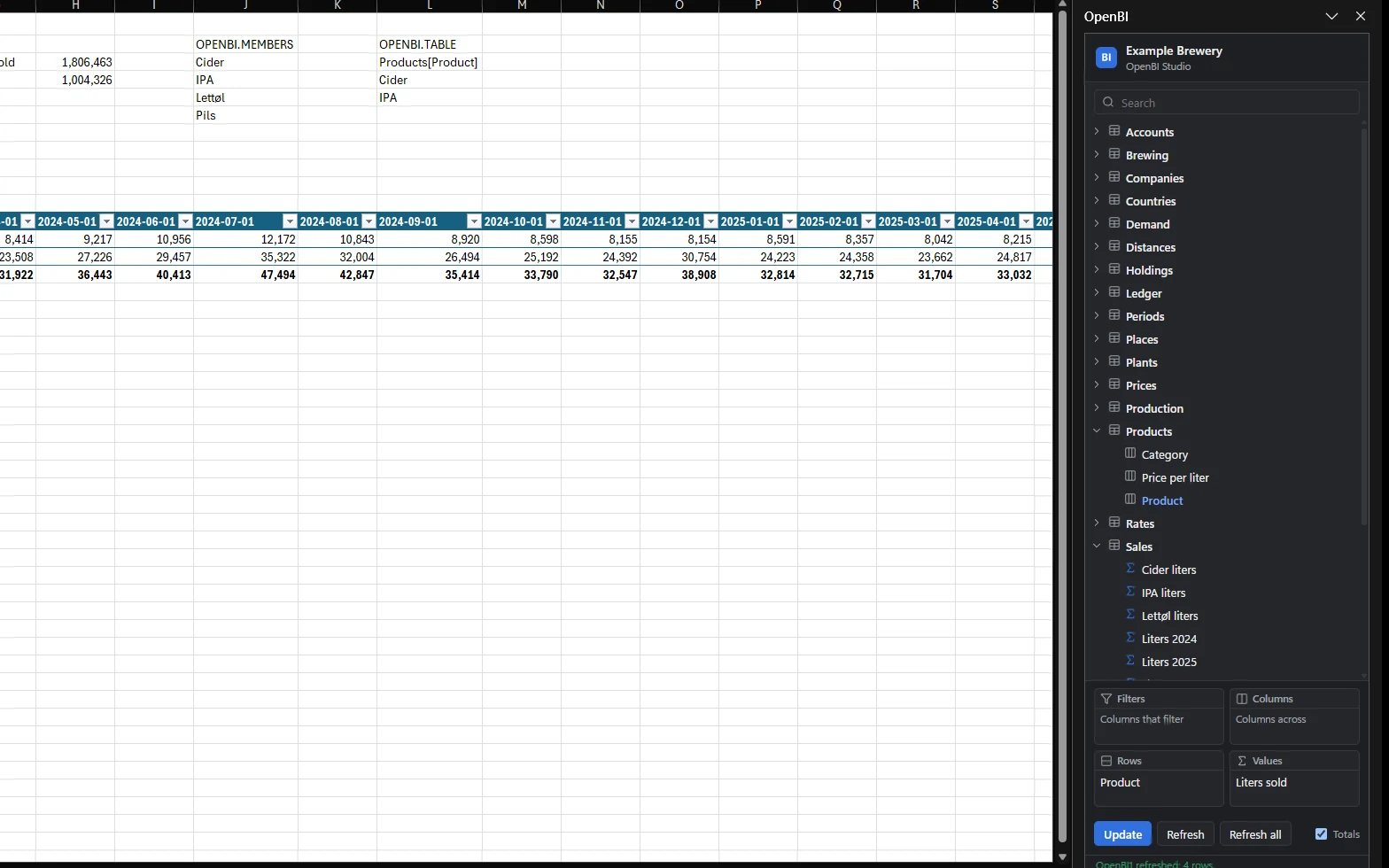
Open the OpenBI pane in Excel. It reads the model open in OpenBI Studio, inserts tables and pivots, and answers formulas in cells. Seen working in Excel 16.114 on macOS and in Excel on Windows.13
Pick columns and measures in the pane, then insert. The table stays linked: Refresh writes it again from the model.
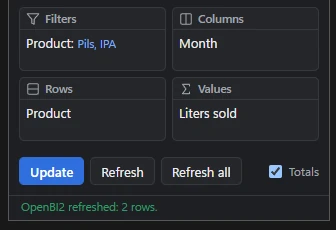
Drop fields into filters, columns, rows and values. Here, liters sold by product and month, for Pils and IPA.

Three functions answer from the model, and recalculate with it.
![Excel's formula bar showing =OPENBI.VALUE("Liters sold","Products[Product]","Pils"), with the cells it and the other OpenBI formulas fill.](assets/img/excel/formulas.webp)
Pictures: Excel on Windows with Office’s dark theme, and the Example Brewery model open in OpenBI Studio.13
Tech specs
Power BI Desktop and OpenBI on the same Windows workstation. OpenBI on a Mac mini. The same model and the same data on all three.
Version 2.158, with its Analysis Services engine 17.0.93.23.
The same computer as Power BI Desktop.
A Mac mini. Its engine is profile-optimized.7
Report queries, and SQLBI’s published optimization patterns in their slow and fast forms. The same Parquet files and model definition on all three systems. Measured on October 23, 2026. One dataset so far.6 The tools are in OpenBI’s repository, so anyone can run it again: tools/engine_bench.py, tools/bench_pbip.py and tools/desktop_bench.ps1.8 All 28 queries
In development
Coming next: scale-out
We are building OpenBI’s engine to run one very large model across four Mac Studio computers. They work as one over Thunderbolt 5, with RDMA. Each holds up to 512 GB of unified memory. Together, that is about 2 TB for one model.
Not available yet, and not measured yet. When it runs, we will test it the way we tested everything above, and publish the numbers here.
OpenBI Studio is free and open source, on the Mac and on Windows. One version for both: 0.3.69.
Mac
OpenBI-Studio-0.3.69-arm64.pkgWindows
OpenBI-Studio-0.3.69-x64.msiMac and Windows
OpenBI-Server-0.1.19-arm64.pkgOpenBI-Server-0.1.19-x64.msi