OpenBI

OpenBI under load

How many people can
one server serve?

OpenBI peaks at 18.4 report pages a second on one 16-core server. Microsoft’s Analysis Services, on the same server, at 16.8. Neither returns an error.1

SQL Server 2025 Analysis Services · The same reports · October 24, 2026

A dark aluminium rack server seen from the front: a perforated grille over 24 drive bays, lit from behind in blue, violet and pink, with a row of small activity lights beneath.

About 1,100 pages a minute.
Room for 550 to 1,100 people at once.2

A rough guide, if each person opens one or two pages a minute.

Same server.
Same reports.

OpenBI and Microsoft’s SQL Server 2025 Analysis Services ran one after the other on the same 16-core server. The same kind of simulated users asked both for the same report pages, with twice as many users at every step. Neither engine returned a single error.3

18.4

report pages a second at OpenBI’s peak, with 64 simulated users. Analysis Services peaked at 16.8, with 32.1

Pages a second at each engine’s peak. Longer is more.

Analysis Services 16.8
OpenBI 18.4

5.3 s

for the slowest 5% of pages on OpenBI, with 64 simulated users. On Analysis Services: 9.6 s.4

Seconds, with 64 users. Shorter is better.

Analysis Services 9.6 s
OpenBI 5.3 s

0

errors at every step, from both engines. OpenBI up to 512 simulated users, Analysis Services up to 128.5

One mark per step, simulated users doubling. Hollow: not measured.

Before the charts

How to read
this page.

Eight terms, in plain words. No background in load testing needed.

What we measure
How many people can use the same reports at the same time on one machine, and how long each of them waits. Every business intelligence server slows down as more people use it. The question is how far it goes before the wait becomes annoying.
A page
One screen of a report, such as a sales overview with its charts, tables and filters. Opening it asks the engine one question per chart, here 10 to 14 of them. A page counts as done when its last chart has its answer.
Users in this test
Simulated people who open one page after another without stopping to read. A real person looks at a page for a while before the next click, so one test user keeps the machine far busier than one real person.
Pages a second
How many pages the machine finishes each second, for everyone together. Higher is better. A line that stays flat as users are added means the machine keeps up. A line that falls means it is overwhelmed.
Median
The middle wait. Half of the pages opened faster than this, half slower.
p95, the slowest 5%
Put every page’s wait in order from fastest to slowest. p95 is the wait that 95 out of 100 pages beat. We show it because an average hides the slow moments people actually notice.
Processor cores used
How much of the machine each engine kept busy. Pages a second per core used says how much work an engine gets done for the computing power it takes.
The people estimate
Pages a minute at the peak, divided by one or two pages per person per minute. Real use comes in bursts, so treat it as a rough guide. It is not a promise.

Head to head

Under load.

Both engines reach their plateau by 16 to 32 users and hold it. Past the peak, OpenBI keeps its slowest pages shorter: 5.3 s against 9.6 s with 64 users, 12.8 s against 14.3 s with 128.4

Pages a second.

For everyone together, as simulated users double. Higher is better.

The slowest 5% of pages.

Seconds until every chart on a page has its answer. Lower is better.

The measured steps
Every step on the server: pages a second, median and slowest 5% of page times in seconds, and processor cores used, for OpenBI and Analysis Services
Pages a secondMedian page, sSlowest 5%, sCores used
UsersOpenBIAnalysis ServicesOpenBIAnalysis ServicesOpenBIAnalysis ServicesOpenBIAnalysis Services
24.322.600.330.051.851.5818.62.1
46.775.220.350.052.421.6623.94.3
810.909.650.420.063.441.8723.78.4
1616.8712.920.721.993.312.6128.514.9
3216.0416.821.730.414.224.6329.122.0
6418.4216.653.414.275.299.6228.623.9
12816.5515.978.057.1812.8014.3325.920.6
25614.56not measured17.41not measured27.18not measured25.7not measured
5129.97not measured39.52not measured50.09not measured24.4not measured

Measured on October 24, 2026, on the same server, with the same report pages. No step of either engine had an error.3

Weak spots

A fair test shows
the weak spots too.

Four results from the same server where Analysis Services does better. We are working on all four.

Your hardware

The same OpenBI.
On other computers.

The same engine and the same report pages on a 14-inch mobile workstation and on a Mac mini. The HP ZBook peaked at 25.4 pages a second. The Mac mini at 17.6, about what the server does.10

Three computers on a black stage: the rack server with its grille lit, a 14-inch laptop showing OpenBI Studio with the sales page of the SalesVP report, and a small square aluminium desktop computer.
Generic models made for this page.11
  • The server

    Intel Xeon E5-2697A v4, 16 cores, from 2016
    Memory bandwidth 76.8 GB/s12

    18.4pages a second

    Peak, with 64 users
  • HP ZBook Ultra G1a 14″

    AMD Ryzen AI Max+ PRO 395, 16 cores
    Memory bandwidth 256 GB/s

    25.4pages a second

    Peak, with 64 users
  • Mac mini

    Apple M2 Pro, 16 GB
    Memory bandwidth 200 GB/s

    17.6pages a second

    Peak, with 64 users

OpenBI on three computers.

Pages a second as simulated users double. Higher is better.

The measured steps
OpenBI on three computers: pages a second and the slowest 5% of page times in seconds, at every step
Pages a secondSlowest 5%, s
UsersThe serverHP ZBookMac miniThe serverHP ZBookMac mini
24.325.127.801.851.700.90
46.778.8512.702.421.941.11
810.9013.1016.603.442.871.49
1616.8723.7015.073.312.732.06
3216.0424.2414.624.223.683.43
6418.4225.3717.625.294.845.05
12816.5522.9714.9712.808.4011.26
25614.56not measurednot measured27.18not measurednot measured
5129.97not measurednot measured50.09not measurednot measured

The ZBook and the Mac mini were measured to 128 users.10

Method

How it was
measured.

We took two pages of a real sales report: a sales page with 14 charts and a wholesale page with 10, over about 3 million sales rows. Simulated users open the pages one after another, with at most 6 charts loading at once, as in a web browser, and a year picked at random each time.13

The number of users doubles at every step: 2, 4, 8 and on. Each step warms up for 8 seconds and is then measured for 40. A series stops when the slowest 5% of pages take more than 30 seconds.

The simulated users ran on the server itself, fenced to the same 8 of its 32 threads for both engines, so each engine had the same share of the machine. Each engine ran alone.14 OpenBI read the sales from Parquet files, with a few percent fewer rows than Analysis Services’ copy of the same model.15 Both engines keep a cache: Analysis Services keeps whole answers, OpenBI keeps building blocks.7
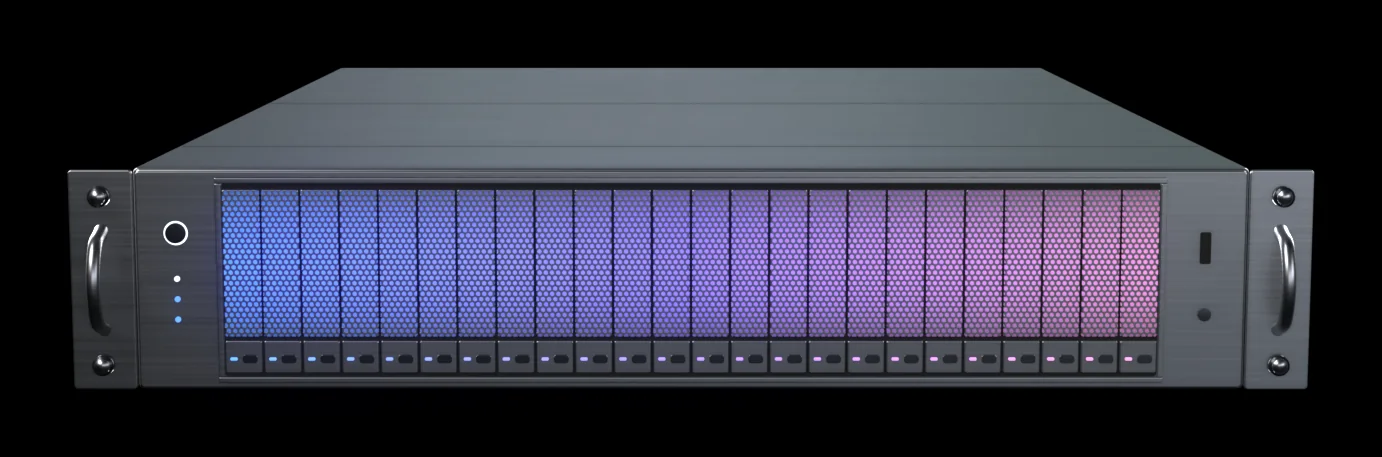
The server

Both engines, one after the other.

Processor
Intel Xeon E5-2697A v4
Cores
16 cores, 32 threads, from 2016
Memory
256 GB
Memory bandwidth
76.8 GB/s12
System
Windows Server 2025
Engines
OpenBI 0.1.21, automatic limits. SQL Server 2025 Analysis Services, Tabular, default settings.
OpenBI’s peak
18.4 pages a second
Analysis Services’ peak
16.8 pages a second

HP ZBook Ultra G1a 14″

A mobile workstation. OpenBI only.

Processor
AMD Ryzen AI Max+ PRO 395
Cores
16 cores, 32 threads
Memory
96 GB available to it
Memory bandwidth
256 GB/s
System
Windows 11 Pro
Engine
OpenBI 0.1.21
OpenBI’s peak
25.4 pages a second

Mac mini

OpenBI only.

Processor
Apple M2 Pro
Cores
10 cores: 6 performance, 4 efficiency
Memory
16 GB unified memory
Memory bandwidth
200 GB/s
System
macOS 27
Engine
OpenBI 0.1.21
OpenBI’s peak
17.6 pages a second
  • 2report pages, 14 and 10 charts
  • ~3 millionsales rows
  • 6charts loading at once, as in a browser
  • 8 s + 40 swarm-up and measuring, per step
  • 8 of 32threads for the simulated users
  • 0errors3

What the references say.

Microsoft Learn

Hardware Sizing a Tabular Solution (SQL Server Analysis Services)

Microsoft’s sizing guide gives no figure for how many people a Tabular server serves. It says that to truly understand the impact of a large number of requests, you will need to load test your solution, and it asks for a fast processor with a sufficient number of cores, and memory fast enough to feed them.16

There is no reference figure to look up. Both sources say to size by testing your own reports on your own hardware, and that Tabular rewards fast cores, cache and memory speed. That is what this test does. It is also what we saw: the ZBook’s 16 newer cores, with more than three times the server’s memory bandwidth, served more pages a second than the server’s 16.12