Paper
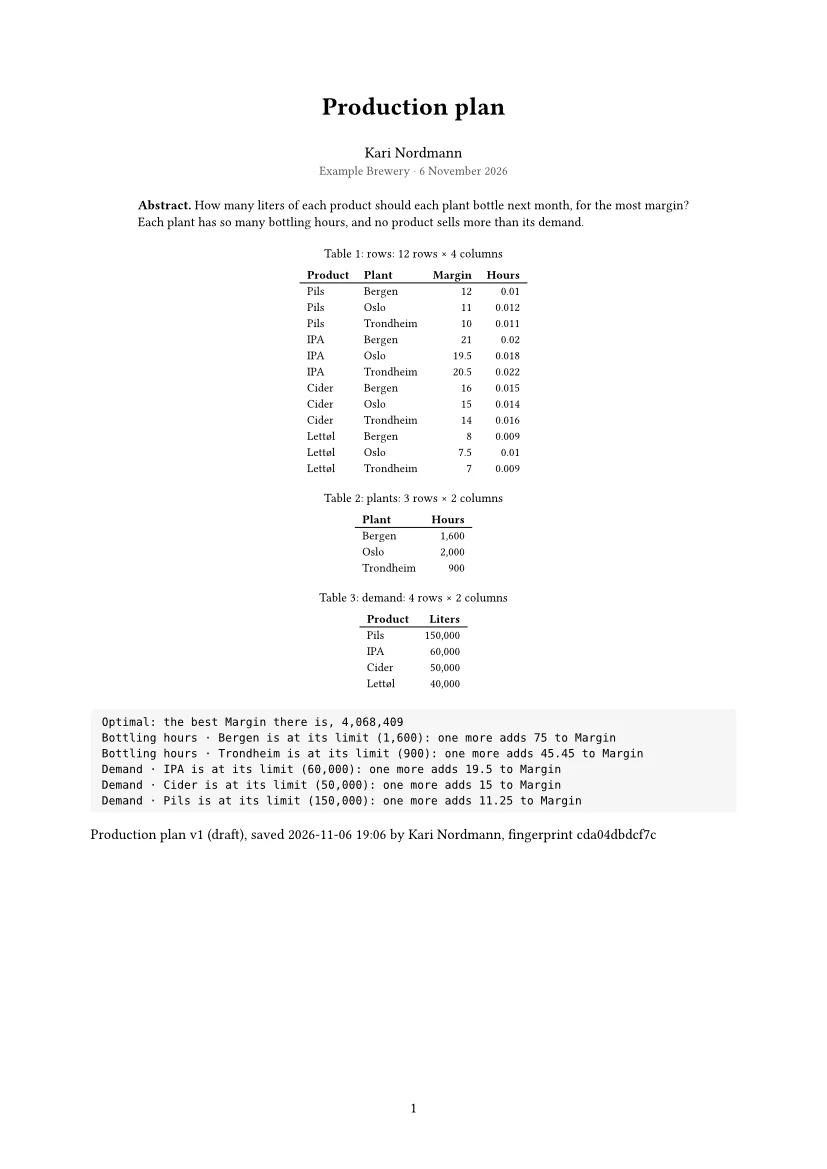
Paper typesets a notebook as a paper beside it: a PDF with a title, numbered sections, its figures and tables, and its code in an appendix. It is set with Typst on this computer, again a moment after a step runs or its text changes, and checked every time.
What goes where
- Title, author and date
- The first heading is the title; the author is whoever runs the notebook, with the project’s name and the day.
- Abstract
- The text before the first section.
- Sections
- The Text steps’ headings, numbered.
- Figures and tables
- What the steps showed, numbered with captions: charts, report visuals and TikZ figures as figures, tables as tables, metrics as key figures.
- Code
- In an appendix, so the paper reads as findings and the code is there to check.
The checks
Every typeset is checked before you see it: blank pages and pages that end early, anything past the margins, table rows set over each other, tables too wide, Typst’s own warnings, charts whose lines zig-zag, and numbers written two ways. The line above the paper says “checked: nothing wrong” or what to put right, and what it put right by itself, such as a wide table set in parts. The check sees layout, not meaning: read the paper before you send it.
Options
- Save the PDF… saves it; Detach puts the paper in a window of its own.
- Paper size A4 or US Letter, the text’s language for hyphenation, the code in an appendix, inline or left out, and PDF/A-2b for archiving: an agent sets them on
notebook_pdf, which also returns the check and the pages to look at. - Report visuals need a picture to go into the paper: the studio draws each one under its step first.
Typst comes with OpenBI Studio, and the paper is made on this computer: nothing is sent anywhere to typeset it. Slides and report pages have PDFs of their own (see Slides, PDF and Paper).